AI video tools for advertising: what we actually use in 2025 | Mira Studio
Kling, Veo, Seedance: we explain which AI video tool for which advertising use, the flaws we fix, what changed this year.
· Tools · 6 min · By Estée Jaillon, Mira Studio
Kling for complex camera moves, Veo for characters in context, Seedance for stable product shots: that's the summary. But the real question isn't "what's the best AI video tool for advertising"—it's "which one requires the least post-production correction for this specific shot type." We explain what we actually use, for what, and what's truly changed in the past twelve months.
Why we no longer talk about a single AI video tool
A year ago, we tested everything on one model and corrected heavily in post. Today, we match the tool to the shot type from the start. Every AI video generation tool has strengths and blind spots, and in advertising production, we optimize for visual consistency and post-production time, not pure creative exploration.
At Mira Studio, we've produced 50+ campaigns since 2024. We've seen Runway ML stagnate on temporal coherence, Pika evolve then plateau, Kling rise in cinematic capability, Veo arrive with native human motion handling, Seedance specialize in product shots. What really changed this year: we no longer generate once, we combine tools based on the shot and correct less in post than before.
Luxury, fashion, and beauty brands ask us for short-form social video, product animations for e-commerce, campaign teasers. Each use case imposes different criteria: duration, stability, human movement realism, packaging precision. AI video tools advertising don't compare on a spec sheet, but on what we can deliver without heavy retouching.
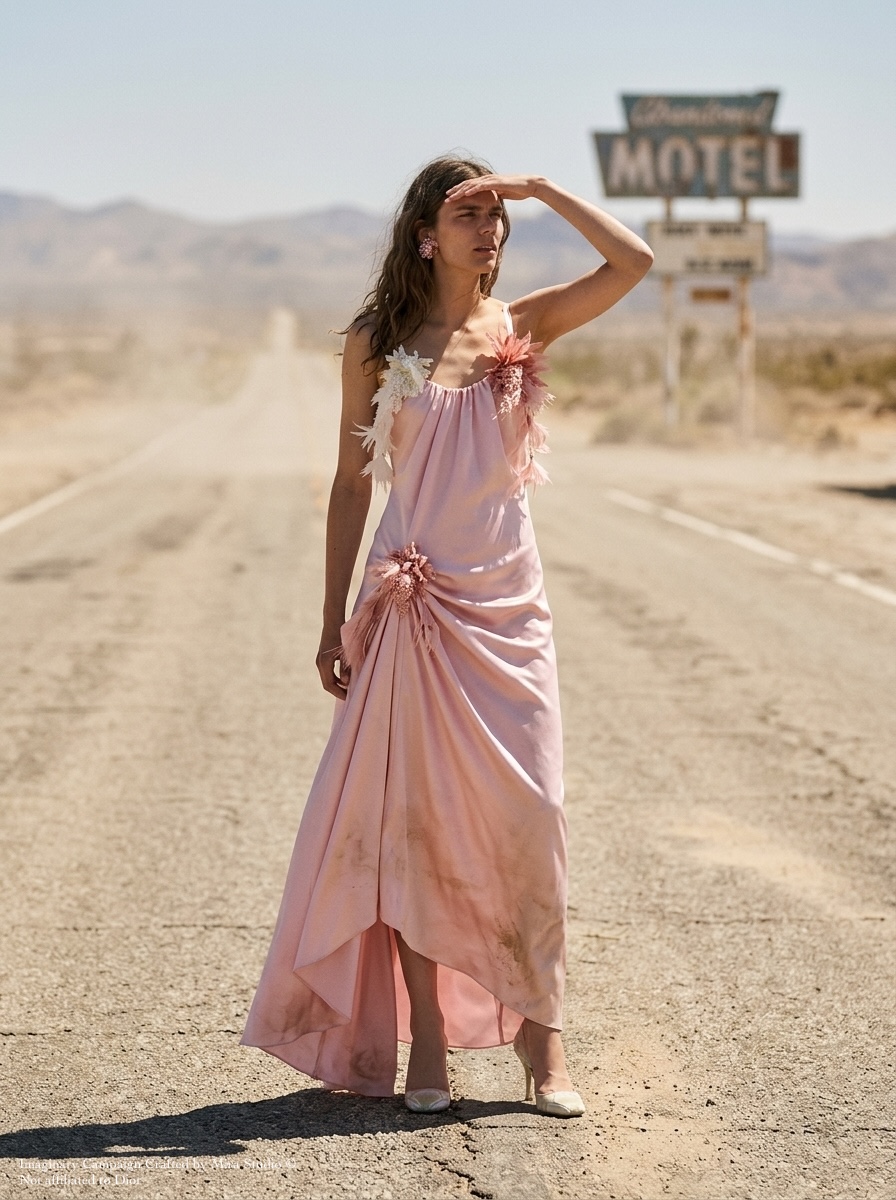
Kling vs Veo: what we choose based on shot type
Kling excels at cinematic camera moves: lateral tracking shots, aerials, smooth rotations. We use it when we want strong dynamics without a main character or with a character in the background. Recurring flaws: micro-artifacts on fine textures (embroidery, knits) and a tendency to "slide" on foreground objects if the prompt isn't locked down. In post, we sometimes stabilize frame edges and spot-correct grid distortions.
Veo (Google) shines on shots with characters in natural motion: walking, gestures, facial expression. Temporal coherence is better than Kling on faces, but the render is less cinematic: lighting is often flat, shadows poorly defined. We use it for lifestyle scenes, product situations carried by a model. In post, we systematically regrade the image to restore contrast and depth, and we check hands frame by frame (still the weak point of every model).
Seedance is our choice for pure product shots: bottles, watches, packaging in rotation or slow translation. Geometric stability is excellent, reflections on metallic or glass surfaces stay coherent. Limitation: it doesn't handle complex scenes with multiple moving elements well. We use it for e-commerce animations or product inserts within a larger sequence. Little post-production needed; we sometimes add motion blur or color grading to harmonize with the rest of the campaign.
In short, Kling vs Veo isn't a duel: we use Kling for camera, Veo for human, Seedance for product. And we assemble the shots in editing, as we would with footage from different sources.
The flaws we systematically correct in post-production
Even with the right tool, no AI video shot comes out perfect. Here's what we check and fix every time:
Temporal coherence on fine details: logos, typography, jewelry. All models still struggle to maintain text legibility in motion. We use 2D or 3D tracking to overlay a sharp version of the logo in post, or we regenerate the shot with framing that avoids close-ups on the problematic detail.
Hands and fingers: still the weak point. We frame to minimize their visibility, use three-quarter angles, favor wide shots. When a close-up on a hand is essential, we use rotoscoping or regenerate multiple times to get an acceptable version.
Motion blur and frame rate: generators often produce 24 or 30 fps with artificial motion blur. We export at 60 fps, add realistic motion blur with ReelSmart Motion Blur or equivalent, slow down certain shots to gain fluidity.
Color grading: each model has its color signature. Veo leans pastel, Kling saturated, Seedance neutral. We harmonize everything in DaVinci Resolve so shots from different tools follow each other without visual breaks.
Frame edges: warping, distortion, phantom objects appearing. We slightly reframe or apply edge stabilization. On certain shots, we add light vignetting to mask peripheral artifacts.
These corrections take between 20% and 40% of total video production time. It's non-negotiable, but it's what makes the difference between a "test" AI video and a campaign-ready AI video.
What really changed in 2025: duration, control, integration
Clip duration: we went from 3–4 usable seconds to 8–10 stable seconds. Kling and Veo now generate 5- to 10-second shots exploitable without cuts, which allows building short narrative sequences (15–30 seconds) without too many seams. We're still far from the 60 seconds of a classic advertising film, but we now cover most social formats.
Camera control: prompts accept precise instructions ("dolly forward," "crane up," "handheld shake"). We get 70 to 80% compliance, versus 30% a year ago. That reduces the number of generations per shot and speeds up production.
Pipeline integration: we no longer work "AI on one side, post-prod on the other." Tools export in ProRes, in EXR for some, and depth or motion metadata are usable in compositing. We can insert a real product into a generated environment, or replace a generated background with a real green-screen shot in studio. This AI + live hybridization is what allows us to meet tight deadlines (one week on average, 14 days for Jacob & Co) while guaranteeing final quality.
Compute cost: generation times have dropped, APIs are more stable, and we can now produce 20 to 30 variants of a shot in one day. That frees up time for art direction and editing, instead of spending the day relaunching renders.
What we actually use: three recent production cases
Beauty campaign, rotating product shot: Seedance, 6 seconds, perfume bottle on gradient background, 180° rotation, 4K export. Post-production: regrade, addition of a 3D light reflection to accentuate volume, motion blur. Delivered in 2 days.
Fashion teaser, model walking in a street: Veo, 8 seconds, wide shot, forward movement, natural light. Flaws corrected: blurry hands (framed out of field with slight reframe), color grading to add contrast, edge stabilization. Delivered in 3 days.
Watch product film, tracking shot over a counter: Kling, 10 seconds, smooth lateral movement, watch in foreground, luxury background. Flaws corrected: micro-warping on the bracelet (partial rotoscoping), sharp logo added in 2D tracking, regrade to unify lighting. Delivered in 4 days.
In all three cases, the tool choice allowed us to limit post-production to targeted corrections, not a complete shot overhaul.
AI video generation agency: what we don't do (yet)
We don't generate videos longer than 15 seconds in a single block: beyond that, narrative and visual coherence degrades. We edit short sequences together.
We don't generate scenes with multiple characters in complex interaction: dialogue, physical contact, choreography. Models don't hold spatial continuity.
We don't generate legible animated text (subtitles, quotes) directly in the image: we add it in post.
We don't generate shots with realistic animal motion: models still struggle with animal biomechanics.
We acknowledge these limitations with clients from the brief. It avoids disappointment and steers storytelling toward what works.
FAQ
What's the best AI video tool for advertising in 2025?
There's no single "best" tool: Kling for camera moves, Veo for characters, Seedance for products. We choose based on shot type, not a general ranking. The right reflex: test each tool on a typical shot before producing a series.
How much post-production time for an AI advertising video?
Between 20% and 40% of total time. For an 8-second shot, budget 1 to 2 hours of post (stabilization, color grading, detail correction). A 30-second sequence (4 to 5 shots) requires half a day to a full day of editing and finishing.
Can you deliver an AI video without post-production retouching?
Rarely. Generated videos always have micro-flaws (artifacts, color consistency, motion blur) that need correcting to reach campaign-publishable level. We can deliver a test or mockup without post, but not a final video intended for a luxury or beauty brand.